

Instructions for withdrawing money from Exness is an important step after you have made a transaction and made a profit. Withdrawing money properly will help ensure the safety of your account as well as receive money quickly to the bank. In this article, USDXAU.ORG will guide you in detail on how to withdraw money from Exness in a simple, easy-to-do way and in compliance with the exchange's regulations.
1. Conditions before withdrawing money from Exness
Before making a withdrawal order, you need to check the following conditions:
- Exness account has been KYC verified.
- Available balance in the trading wallet (after deducting margin or open orders).
- Withdrawal method is the same as the initial deposit method.
- The name of the bank account/wallet holder must match the name on the Exness account.
Note: Exness only allows withdrawals using the same method as the previous deposit, according to international anti-money laundering (AML) policy.
2. Exness supported withdrawal methods
Exness offers a wide range of withdrawal channels, depending on the country and previous deposit method:
| Method | Processing time | Transaction fees | Note |
|---|---|---|---|
| Internet Banking | 5 – 30 minutes | Free | Most popular |
| E-wallet (Skrill, Neteller, Perfect Money) | Almost immediately | Free | Withdraw to wallet of the same name |
| Visa/MasterCard | 3 – 5 working days | Free | Withdraw only the amount deposited by card |
| Cryptocurrencies (USDT, BTC, ETH) | 15 – 60 minutes | Free | Check the network carefully (ERC20, TRC20, etc.) |
3. Step-by-step guide to withdrawing money from Exness
Step 1: Log in to your Exness account
- Visit: Exness
- Log in with your registered email and password.
>> Reference: Register and Verify Exness Account in detail
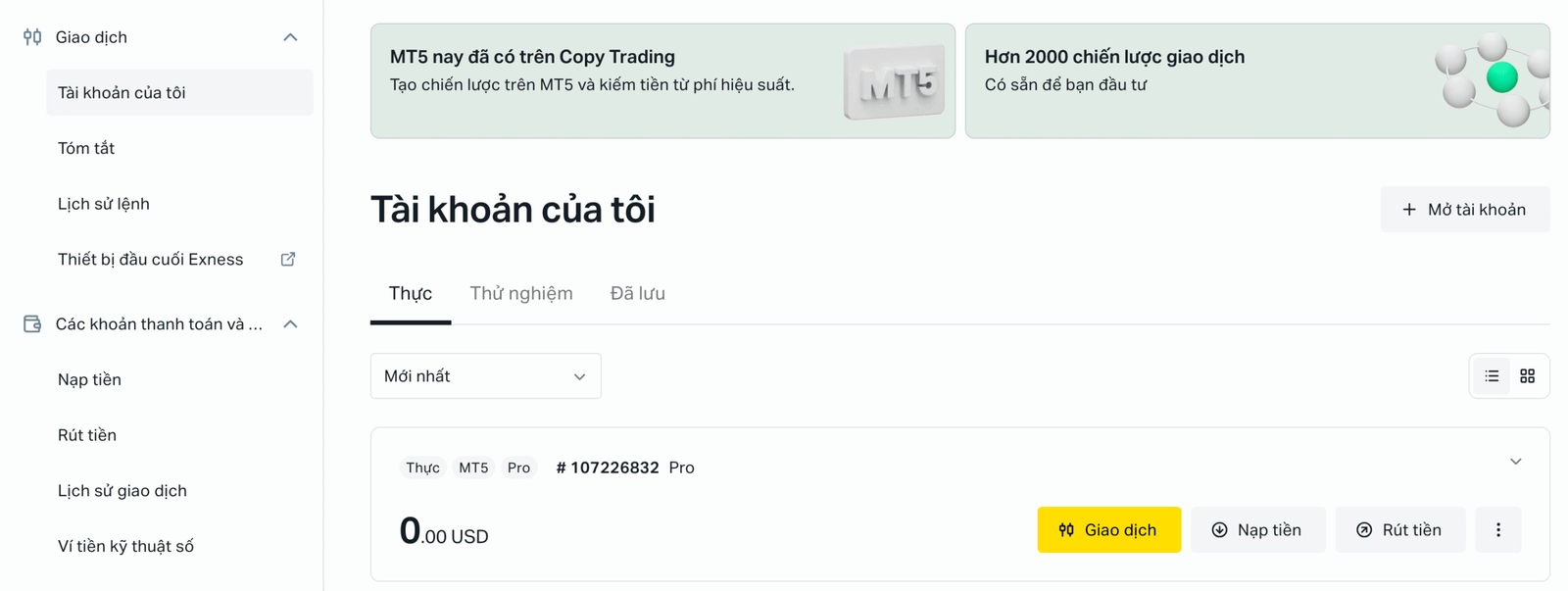
Step 2: Go to “Finance” → “Withdraw”
- On the left menu, select “Withdrawals”.
- The system will display available withdrawal methods.
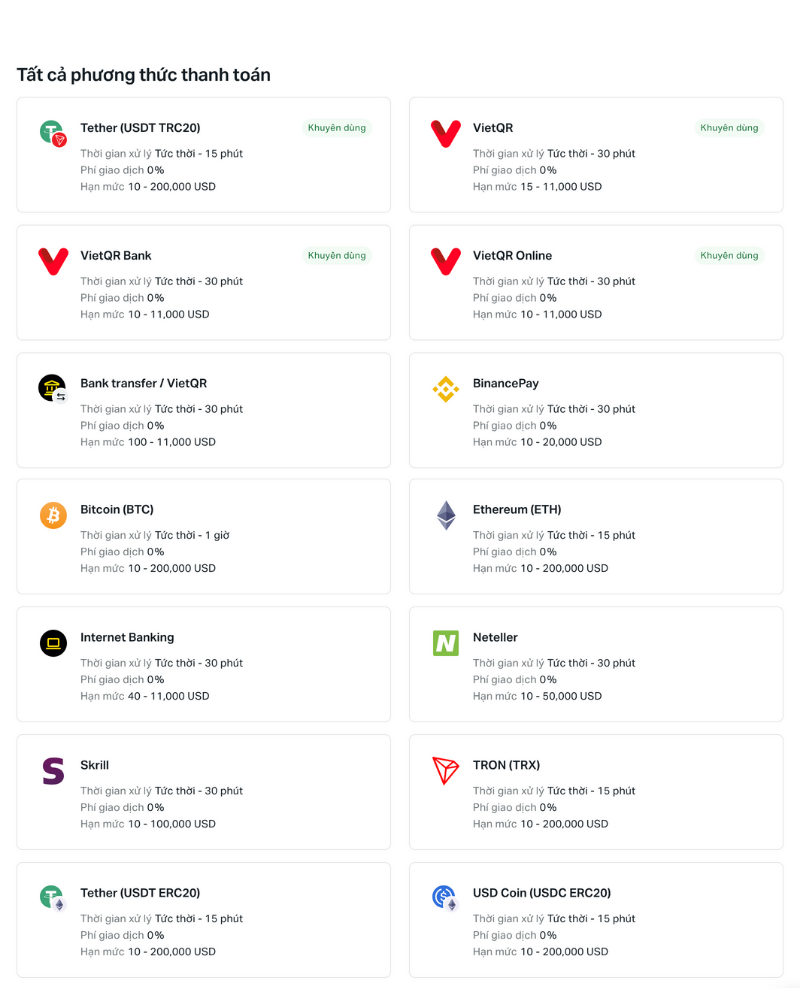
Step 3: Select the method you want to withdraw
- If you have deposited using Internet Banking, please select the correct channel.
- If you deposit using USDT or e-wallet, select the same wallet type.
Step 4: Enter withdrawal information
- Enter the amount to withdraw (in USD or VND).
- Fill in the recipient account information (bank account number, wallet, crypto address…).
- Check the information carefully.
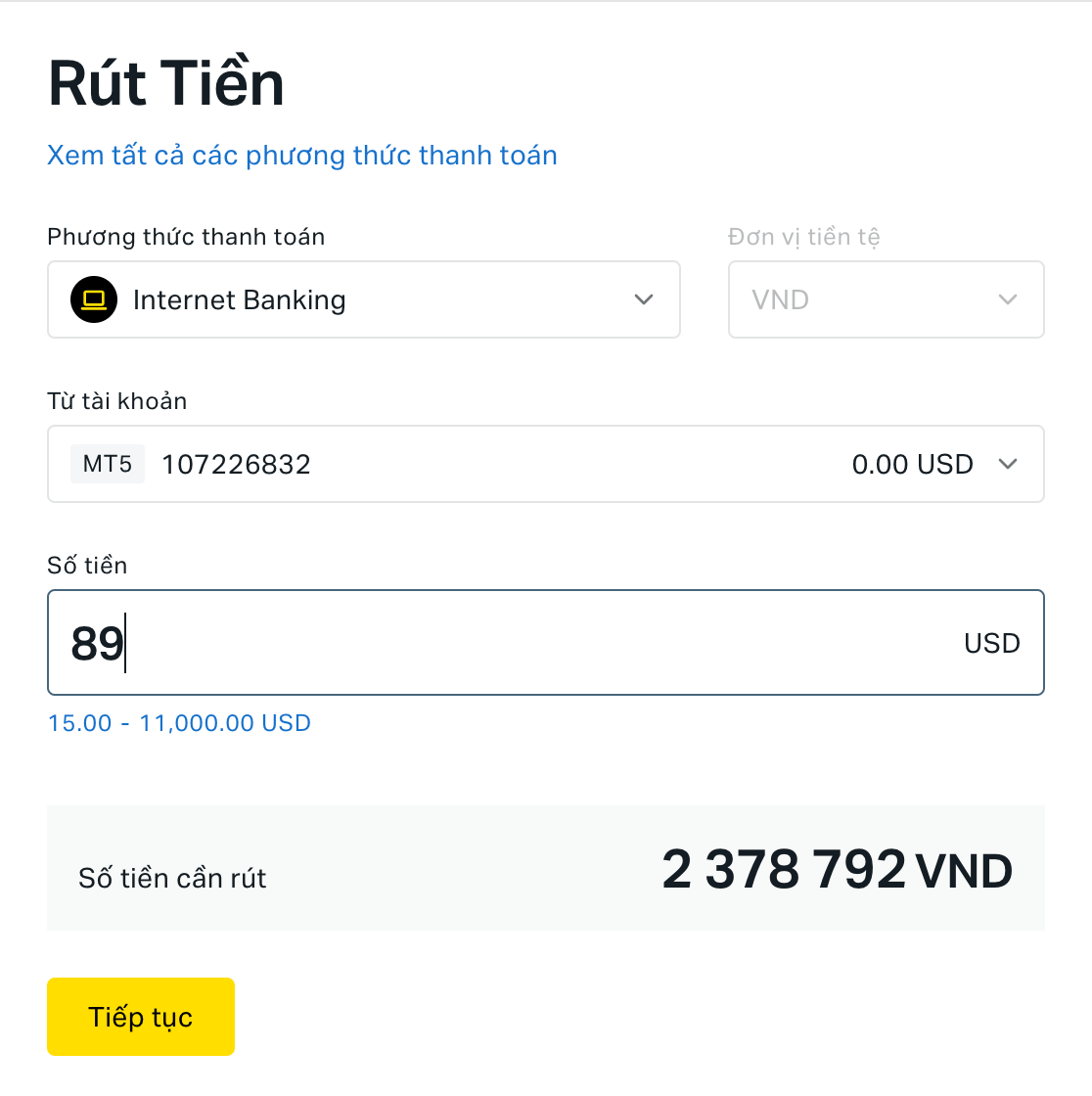
Step 5: Confirm transaction
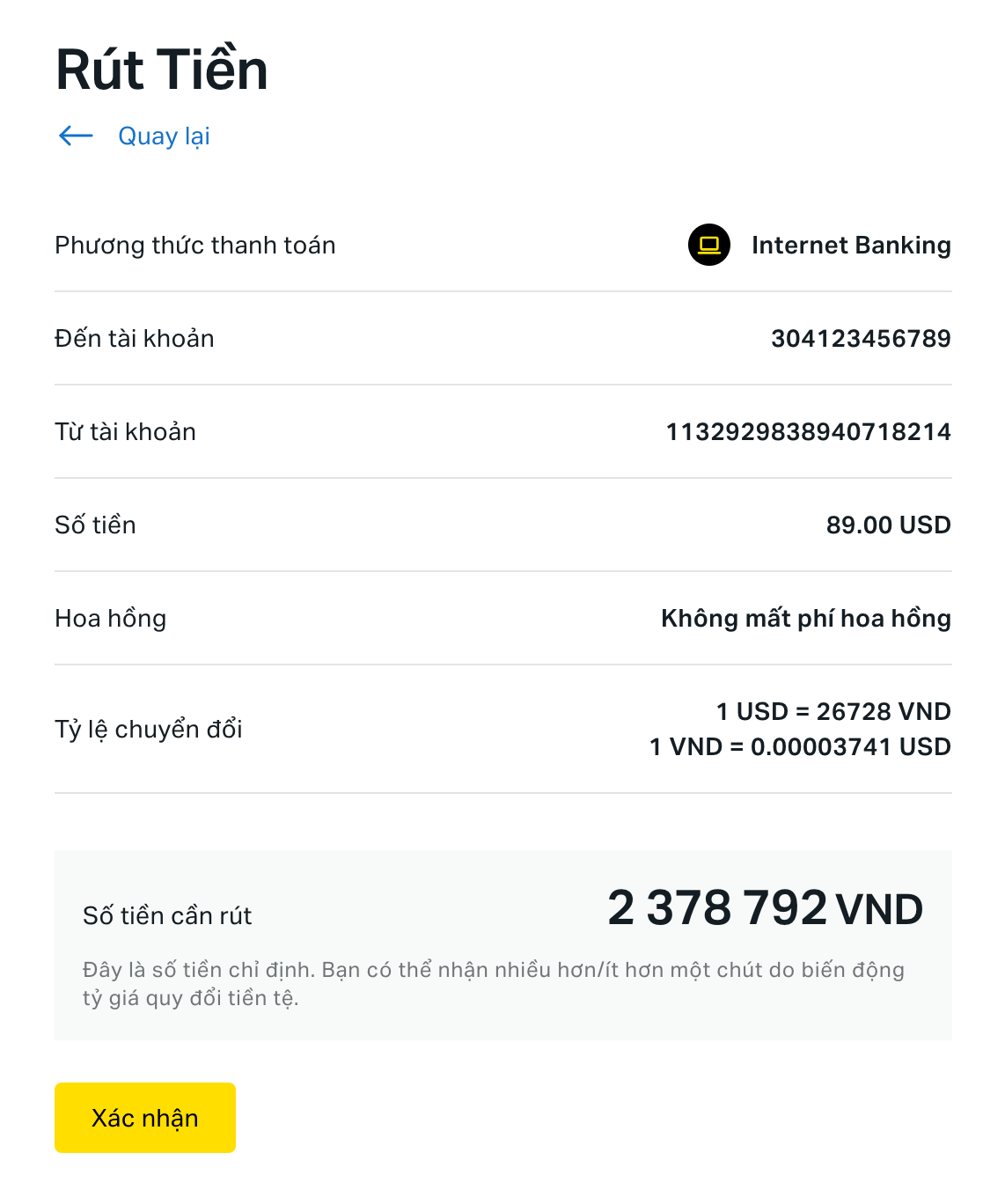
- Check the withdrawal information again, after confirming it is correct, click Confirm. The Confirmation Code input box will appear. A 6-digit confirmation code will be sent to your registered email address or phone number, enter this code within the limited time and click Confirm.
- Once completed, the system will send a confirmation email and display the withdrawal status.
Step 6: Check transaction history
- Go to “Transaction History” to check your withdrawal progress.
- Typically, funds will be in your account within 30 minutes to a few hours.
4. Some notes when withdrawing money from Exness
- Withdraw funds anytime, 24/7 — even on weekends.
- Processing times may be slower if the bank is under maintenance.
- Withdraw funds to the same deposit channel to avoid rejection.
- If you deposit using multiple channels, you must withdraw the amount corresponding to each channel's deposit amount, then withdraw the profit using another method (e.g. domestic bank).
5. Answers to frequently asked questions
❓ Can I withdraw money from Exness to someone else's account?
→ No, you can only withdraw to your verified own account.
❓ What if the withdrawal order fails or is slow to process?
→ Check your transaction history again or contact Exness 24/7 support via live chat on the homepage.
❓ Can I withdraw money on weekends?
→ Yes, but the time it takes to receive money depends on the bank or wallet you use.
Conclude
Withdrawing money from Exness is simple, safe and fast if you follow the correct procedure. Always make sure the information is correct and use the same method as when depositing to avoid errors.
🔗 See more: Detailed instructions for depositing money into Exness